Getting Started with Sync Smart Home Alarm
Here you can find the answers how to Getting Started with Yale Sync Smart Home Alarm.
Five most common questions on how to Get Started with Sync Smart Home Alarm
How do I install my Yale Sync Alarm?
Please follow the quick start guide provided in your kit. All accessories in the kit are pre-linked and wire-free, making installation quick and simple. You will need to download the Yale Home App to create an account and configure your alarm settings.
Or view Yale's How to install’ tutorial video on YouTube.
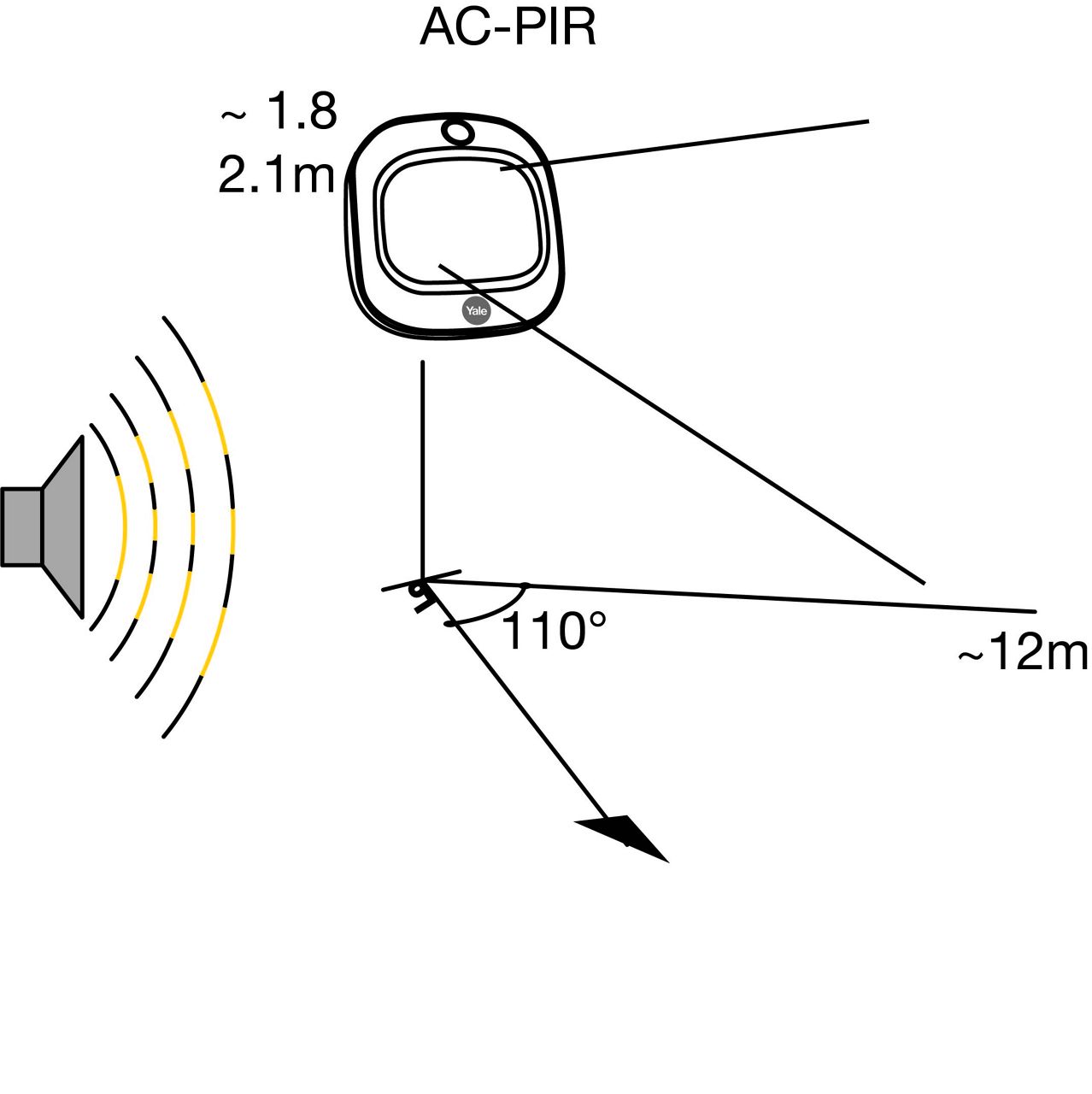
What height should I position my PIR’s for optimum performance?
The best height is between 1.8m and 2.1m above floor level, situated in the corner of the room.
Read the full answer in the compiled FAQ below.
How do I set up Alexa?
In the Alexa app do the following to enable the Yale Smart Living custom skill.
Read the full answer in the compiled FAQ below.
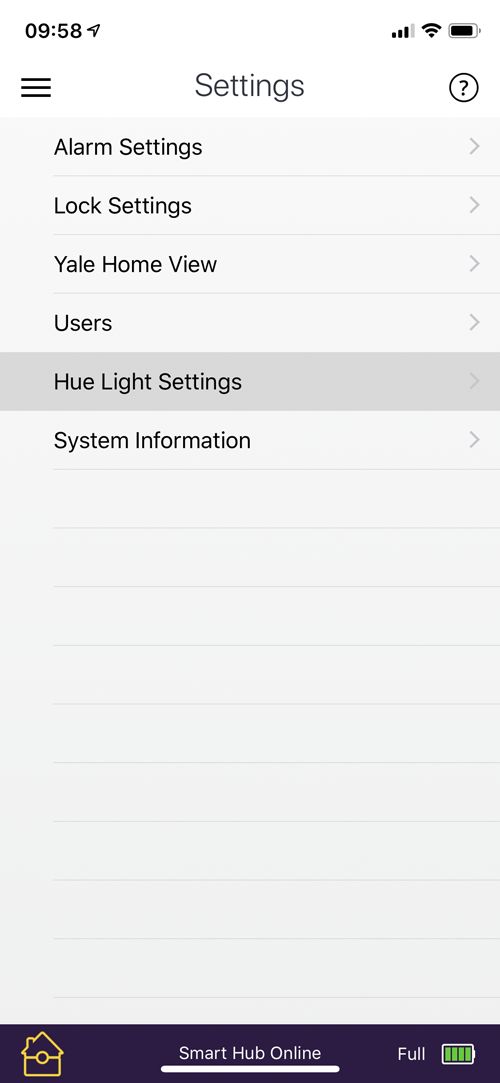
How do I set up Philips Hue?
In the Yale Smart Home app select Settings from the burger menu in the top left of the screen and select ‘Hue Lights Settings’. Then follow the on-screen instructions to link your Hue account to your alarm system.
Read the full answer in the compiled FAQ below.
How do I set up Geo-location?
To enable the feature:
Go to the app menu, select “Settings” >”Users”>”Notification Settings”>”Geo-notification Settings”. Enable the features and save your home location on the map.Read the full answer in the compiled FAQ below.
FAQ


If you need additional support
You can get a more visual help related to our products at our download center and in our library for support videos.
Download Center
Support Videos

Download the Yale Home App
Please continue and download Yale Home App.