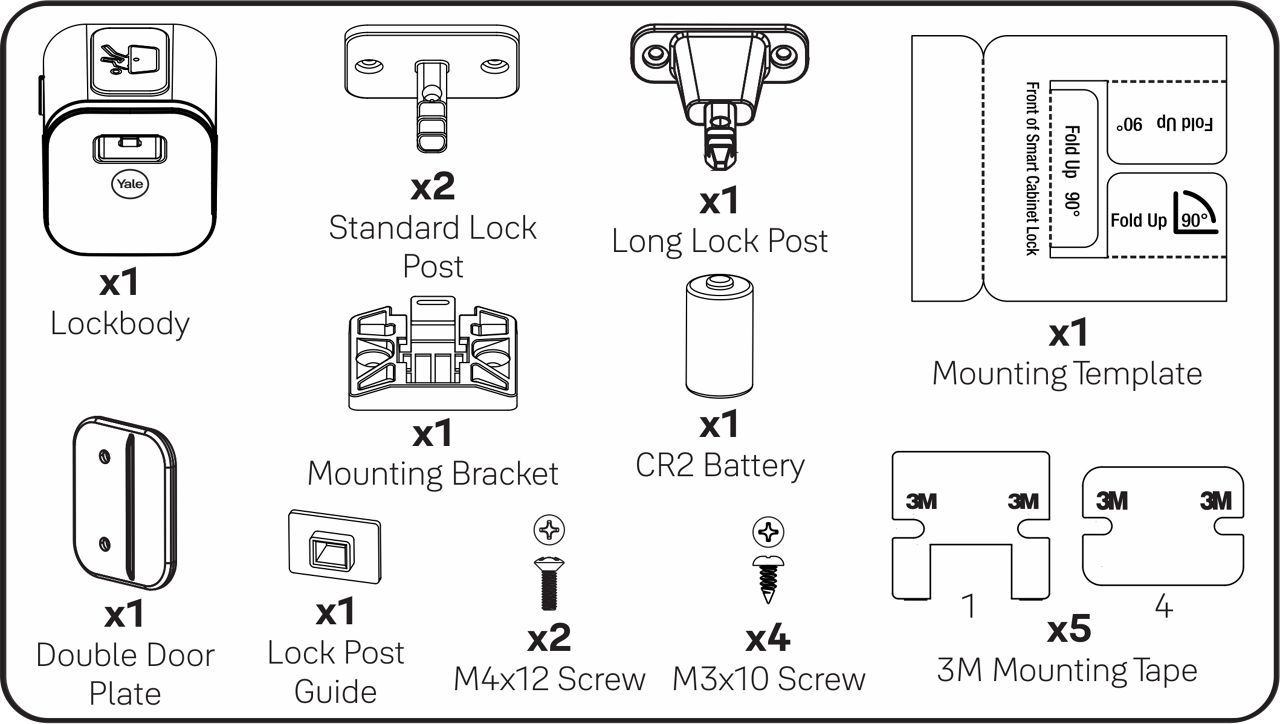
Asennusvaiheet
Valmistele kaappi asennusta varten: Puhdista pinta ennen kiinnitystä ja anna kuivua.
Vaihe 1. Lataa Yale Home -sovellus
Ennen kuin aloitat, lataa Yale Home -sovellus joko Apple Storesta tai Google Playsta sen mukaan, käytätkö iOS- vai Android-puhelinta.


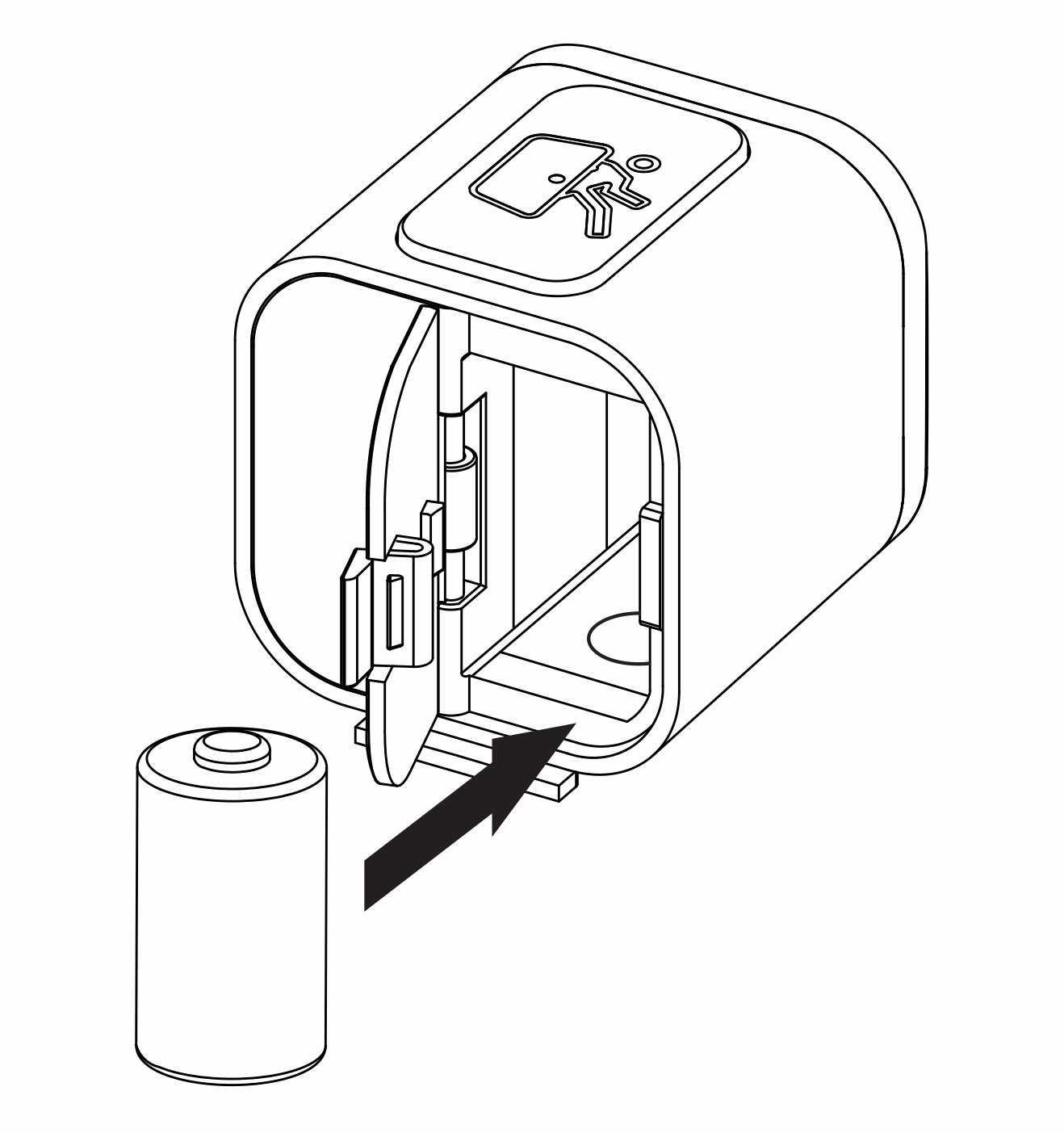
Vaihe 2. Aseta CR2-paristo lukkoon
Avaa paristolokero ja aseta CR2-paristo lukkoon (kuvan mukaisesti).
Vaihe 3. Määritä laite Yale Home -sovelluksessa.
- Avaa Yale Home -sovellus
- Valitse "+"-kuvake kojelaudan oikeasta yläkulmasta
- Skannaa QR-koodi, joka löytyy Smart Cabinet Lock -lukon paristolokeron kannesta
- Seuraa sovelluksen ohjeita asennuksen viimeistelemiseksi tai seuraa alla olevia vaiheita
HUOM: Jos QR-koodia ei voi skannata, sinun täytyy käyttää sarjanumeroa sovelluksen asennuksen viimeistelyyn napauttamalla "En voi lukea koodia?". Smart Cabinet Lockin -lukon sarjanumero löytyy pakkauksen pohjasta ja alkaa merkinnällä Q1.
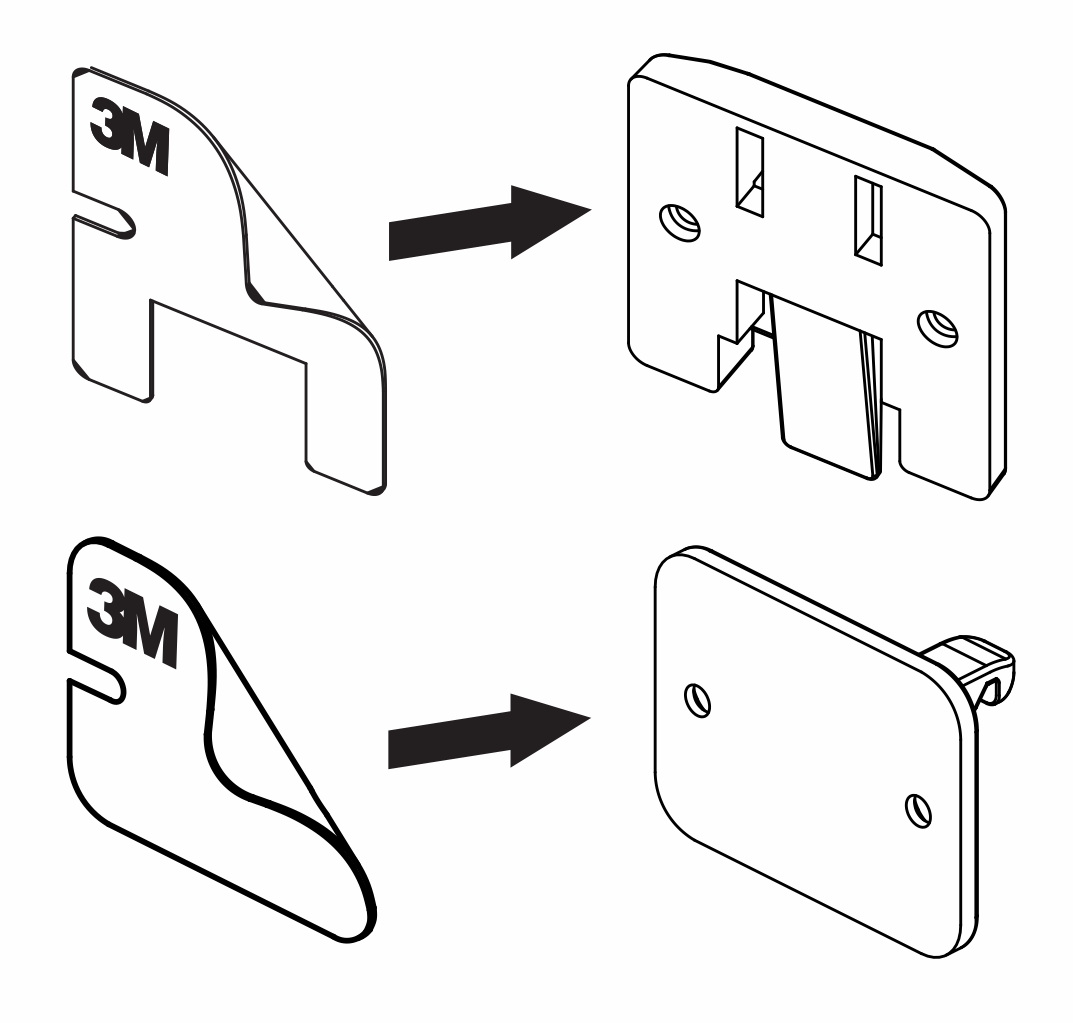
Vaihe 4. Kiinnitä 3M-teippi asennuslevyyn ja lukon tappiin
Kiinnitysteippi auttaa asettamaan lukon tapin oikeaan kohtaan kaapin oveen.
HUOM: Jos kaapissa on etureuna tai huuli (enintään 25 mm korkea ja enintään 31 mm syvä), käytä pitkää lukon tappia.
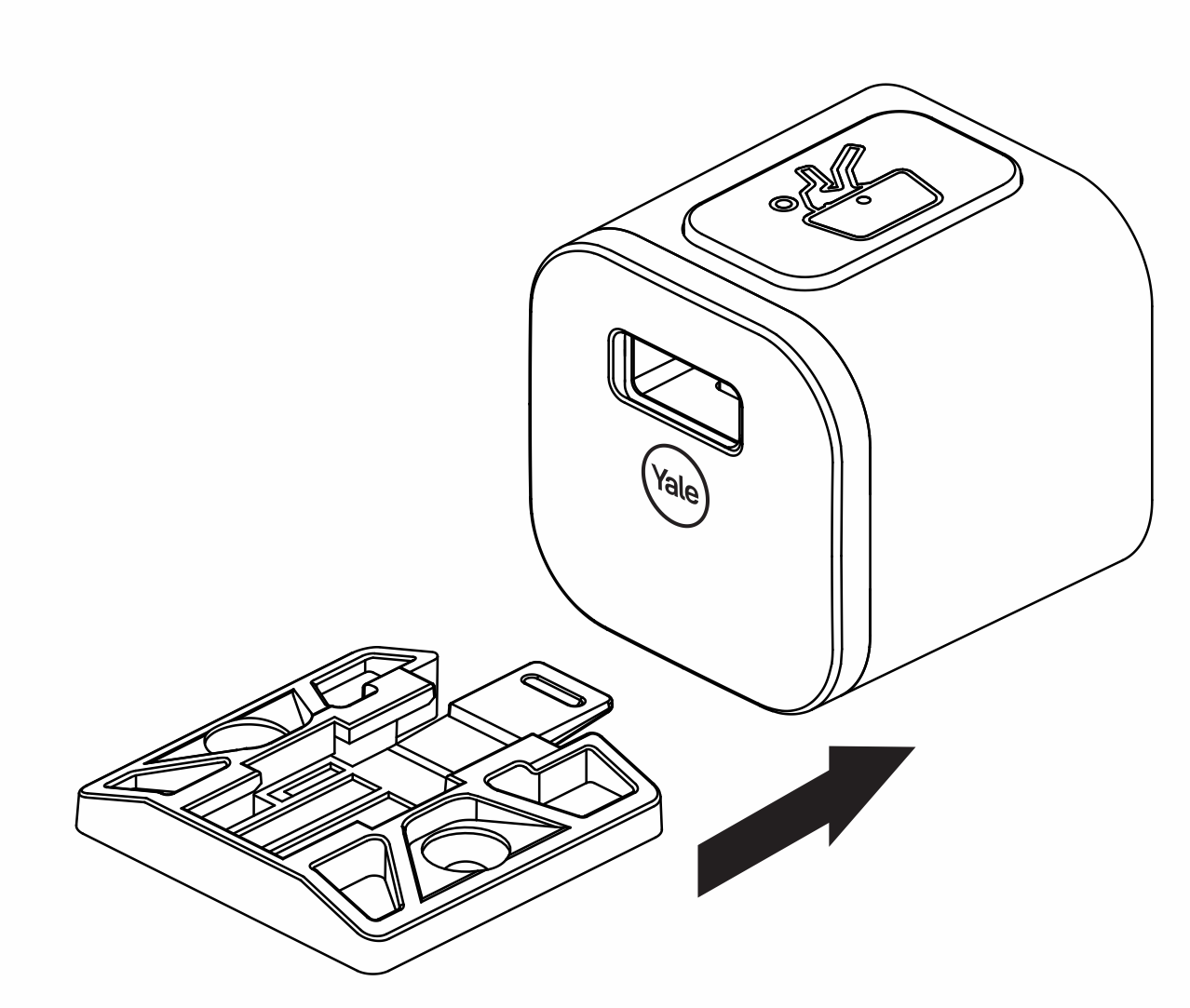
Vaihe 5. Liu’uta asennuslevy lukon rungon pohjaan
Vaihe 6. Liu’uta lukon tapin ohjain lukon tappiin
Lukon tapin ohjain auttaa asettamaan lukon tapin oikeaan asentoon suhteessa lukon runkoon
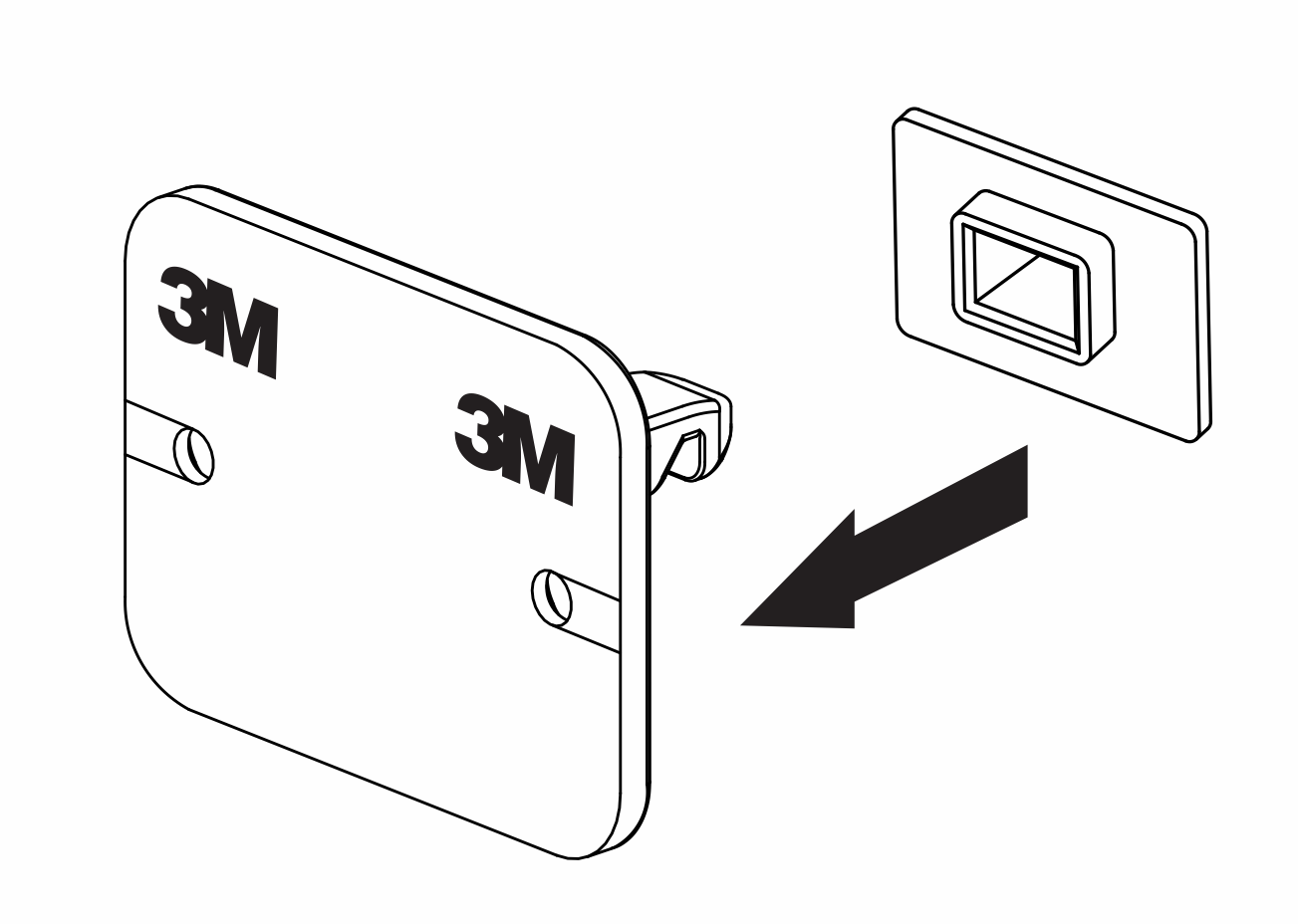
Vaihe 7. Kiinnitä lukon tappi lukon runkoon
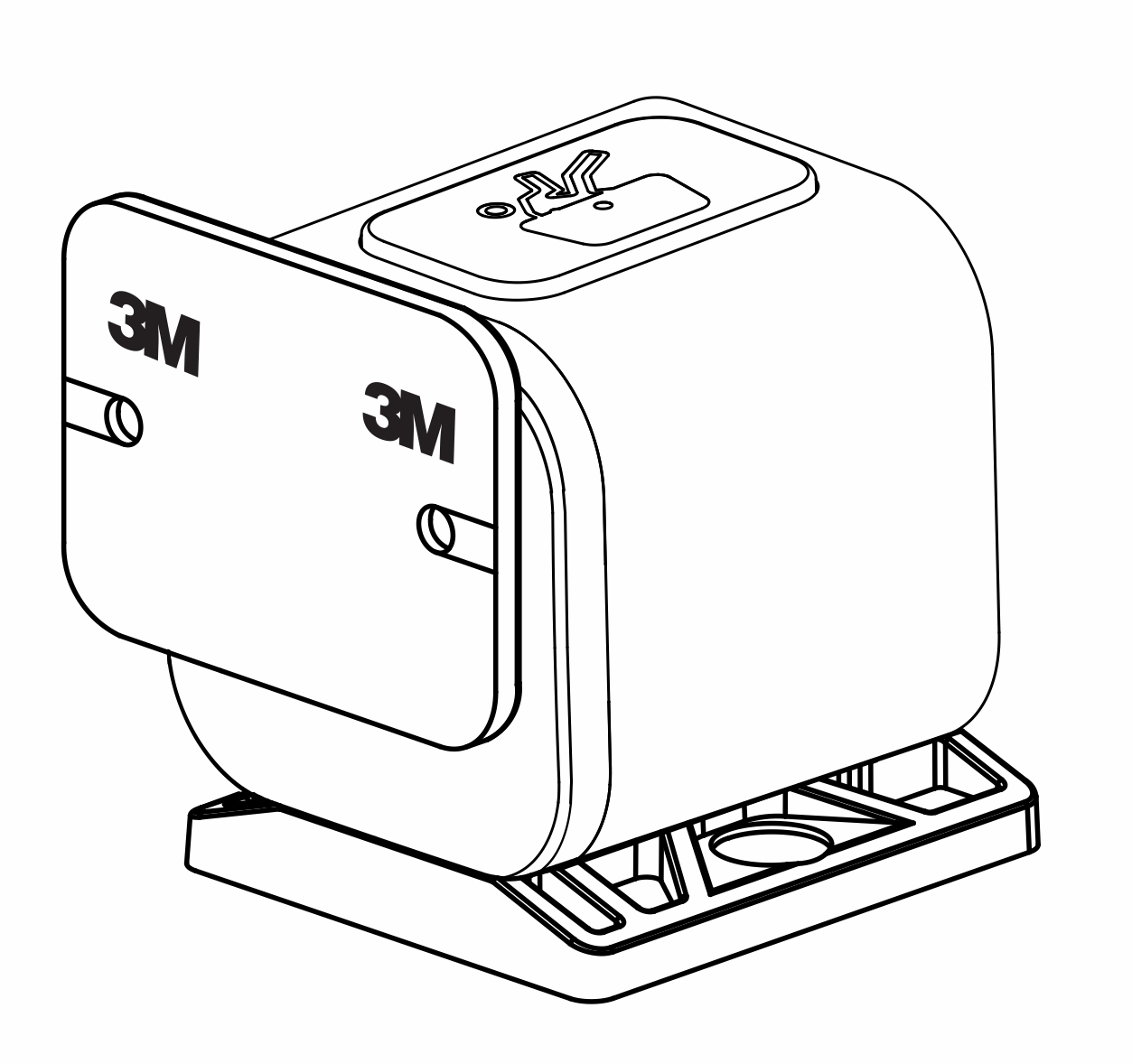
Vaihe 8. Asenna Smart Cabinet Lock -lukko
Aseta asennuspohja haluttuun paikkaan. Poista suojakalvo kiinnitysteipistä ja aseta lukko pohjan mukaisesti.
HUOM: Asennuspohjaa ei voi käyttää lukon asettamiseen, jos käytetään pitkää lukon tappia.
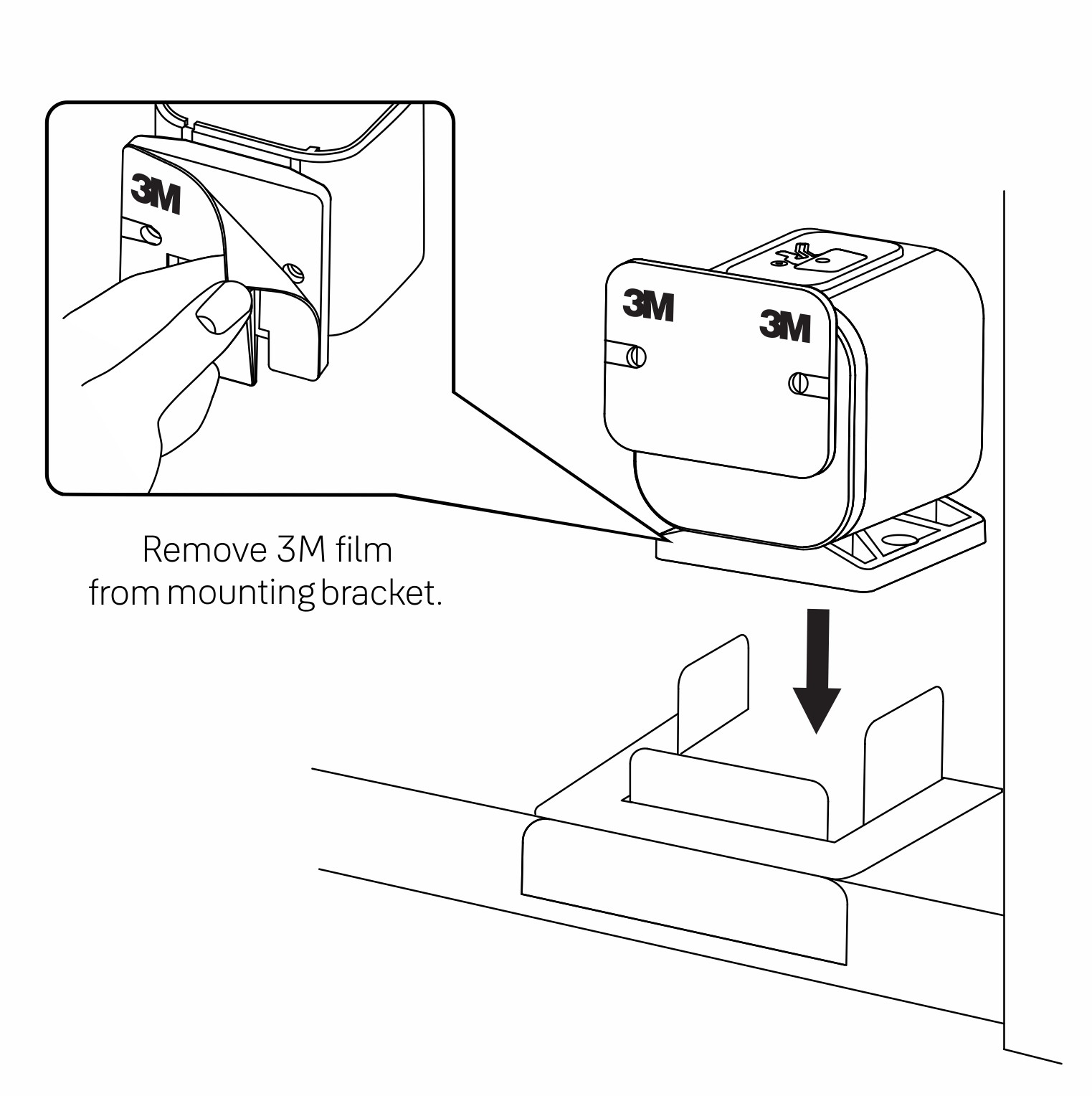
Vaihe 9. Kiinnitä lukon tappi oven sisäpuolelle
Poista suojakalvo 3M-kiinnitysteipistä ja sulje kaapin ovi. Tämä toimenpide auttaa kiinnittämään lukon tapin kaapin oveen
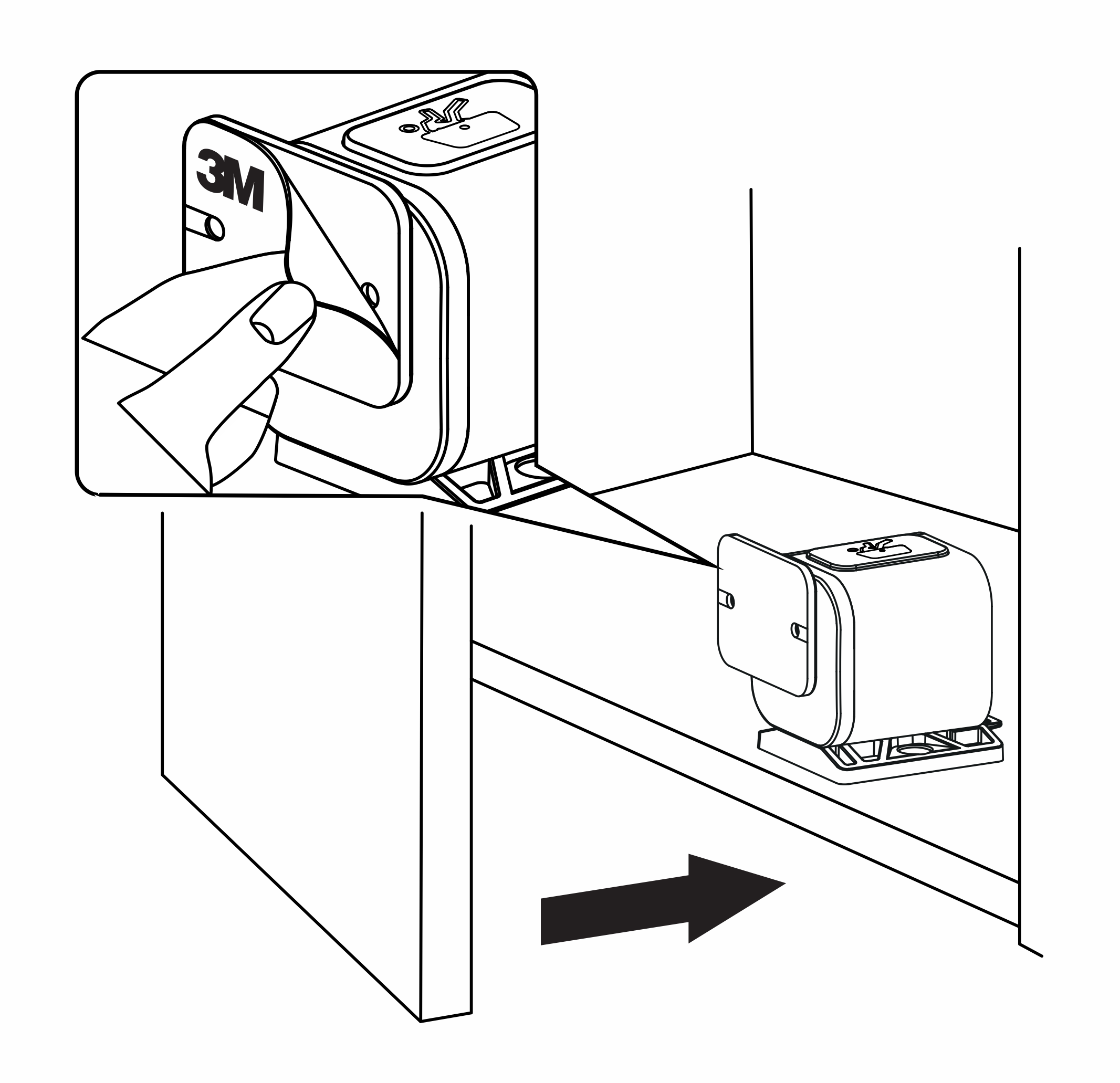
Testaa toiminta
Varmista, että lukon tappi on linjassa lukon rungon kanssa.
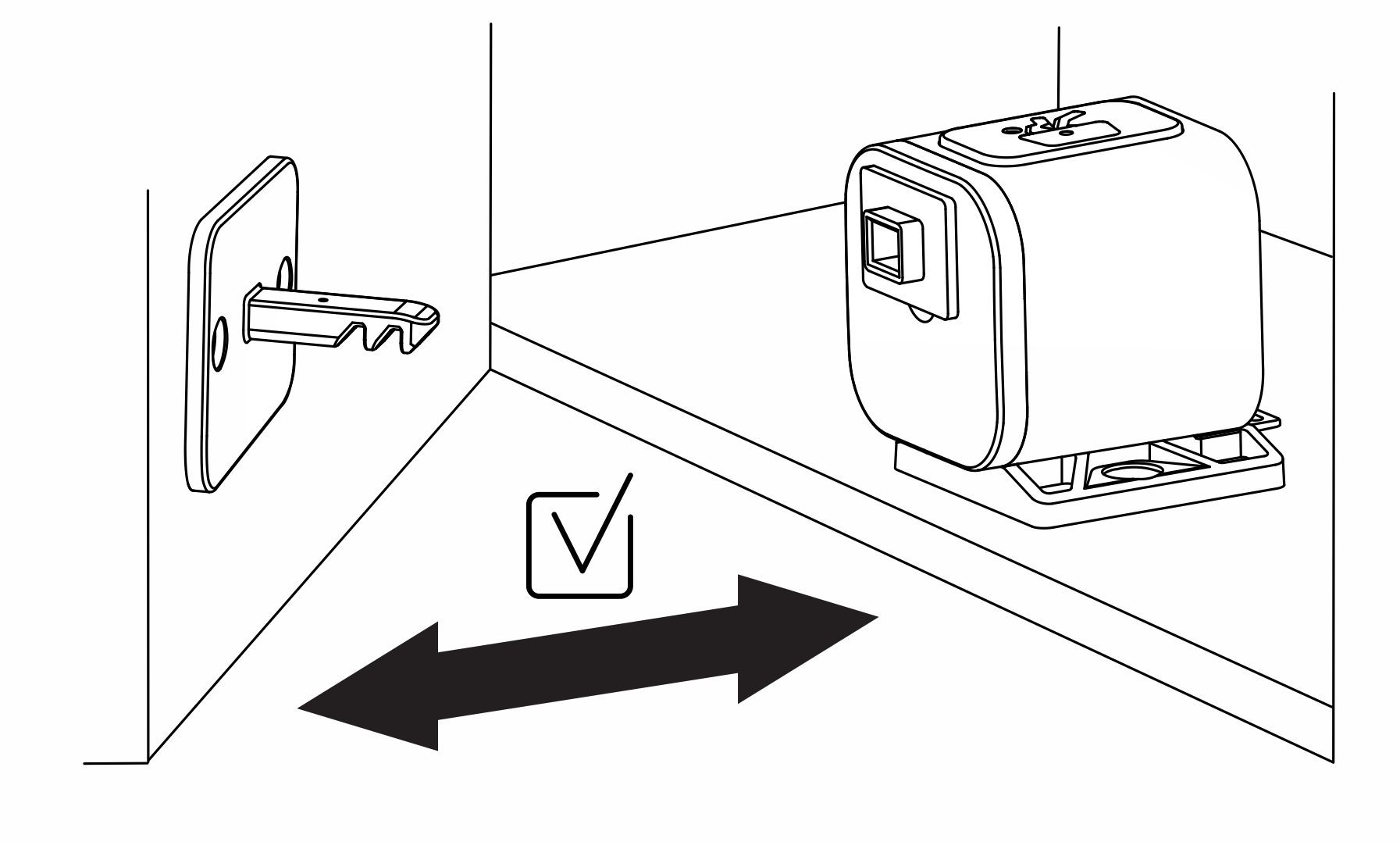
Vaihe 10. Poista lukon tapin ohjain
Onnittelut! Smart Cabinet Lock -kaappilukon asennus on nyt valmis.
Vaihtoehtoiset asennusvaiheet
Ruuvikiinnitys
Voit asentaa Smart Cabinet Lock -lukon pelkästään kiinnitysteipillä. Pysyvämpää asennusta varten käytä mukana toimitettuja ruuveja. Varmista, että ruuvit eivät ole pidempiä kuin kaapin oven syvyys.
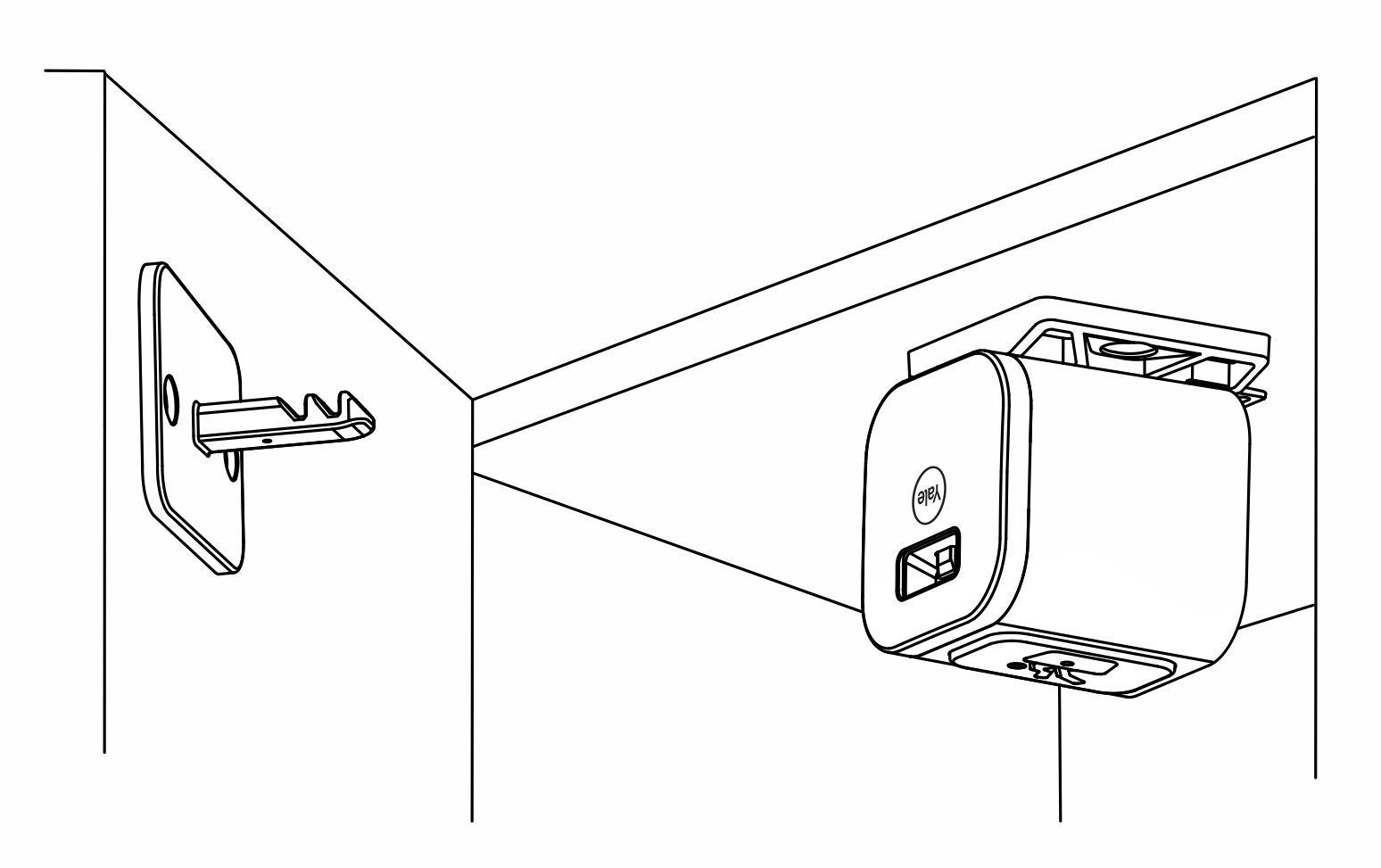
Asennus kaapin yläosaan
Smart Cabinet Lock -kaappilukko voidaan asentaa myös kaapin yläosaan (kuvan mukaisesti).
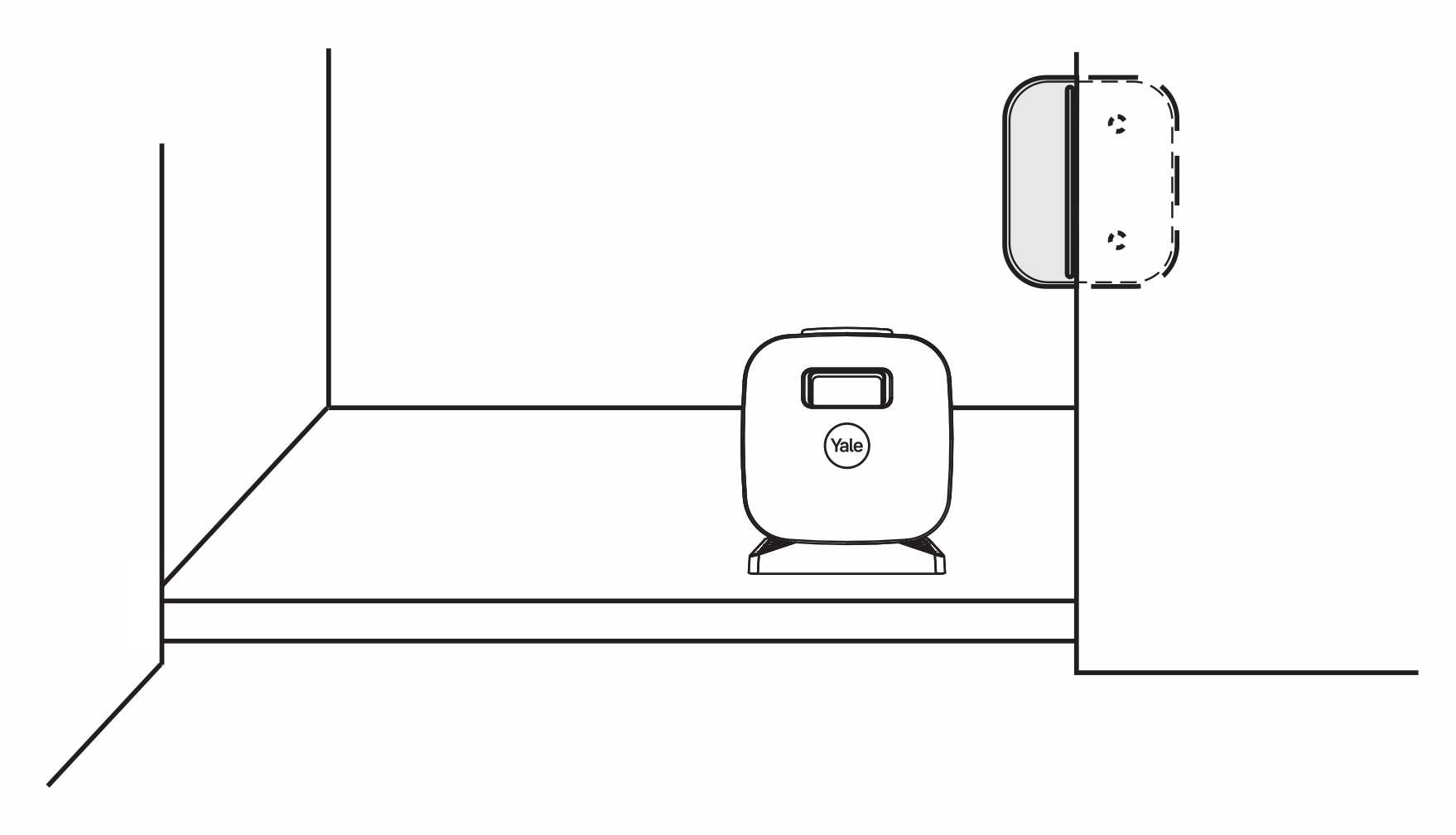
Kaksoisoven kiinnityslevy
Käytä ruuveja TAI kaksipuolista teippiä kiinnittääksesi kaksoisoven kiinnityslevyn, kun asennat Smart Cabinet Lock -lukon viereiseen oveen kaksoisovikaapissa.
Pitkä lukon tappi
Pitkää lukon tappia käytetään kaapeissa, joissa on etureuna tai huuli, jonka korkeus on enintään 25,4 mm ja syvyys enintään 31,8 mm.
HUOM: Asennuspohjaa ei voi käyttää lukon asettamiseen, jos käytetään pitkää lukon tappia.