Yale Unity Entrance Lock Fire Rated
Designed for fire door applications, the Yale Unity Entrance Lock Fire Rated has been successfully tested for 2 hours on door assemblies in accordance with Australian Standard AS1905.1-2015 Fire Resistant Doorsets. Offering a solution suited for use in applications such as apartments entry and office doors.
Meeting Australian lock standards AS4145.2:2008, SL8 and D8, you can be sure that the Unity Entrance Lock meets your security needs.
Lock alert indications shows users the lock mode via a built in LED. The lock has two modes, Unlock (Green) and Locked (Yellow).
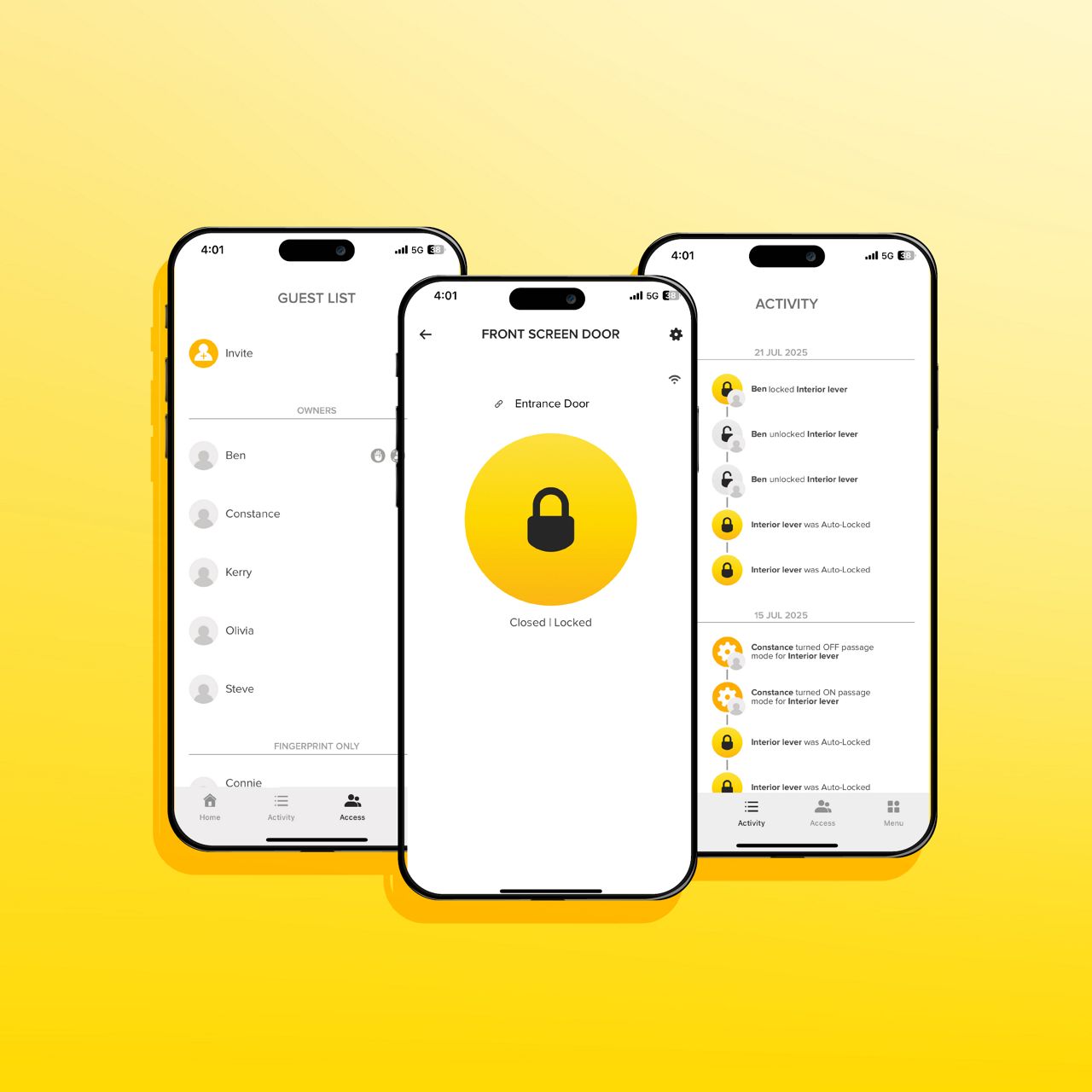
Controllable by either the Yale Home App, Contactless Key Tag or PIN code using a Yale Smart Keypad*, the Unity Entrance Lock provides you with a range of options to control your lock. The Yale Home App allows you to lock and unlock your door, grant access to others and keep track of visitor access, all via your smartphone. Grant users one time access, access for a set period of time or a date range, avoiding any lost keys or having your keys stolen or copied.
Using varying technologies including Bluetooth, Wi-Fi and GPS as well as the Yale Home App, the auto-unlock feature unlocks your door as you approach.
The door position sensor checks the status of the door and tells you if your door is securely closed and locked giving you the peace of mind your door is secure when locking up.
The Unity Entrance Lock can be upgraded with the Yale Connect Plus Hub 2* Allowing you to access your lock from wherever you are. Remote features include the ability to lock, unlock, manage user access and update lock settings. The Yale Connect Plus Hub 2 enables ‘Works with’ ability, integrating into your Google, Samsung or Alexa smart home hubs. The Unity Entrance Lock is also Apple HomeKit compatible.
With the Yale Smart Keypad you can lock and unlock your door via PIN codes. The durable metal made Yale Unity Installation Template* is tradesman friendly, particularly where multiple or ongoing installations are required.
* Yale Connect Plus Hub 2, Yale Smart Keypad and and Yale Unity Installation Template sold separately.

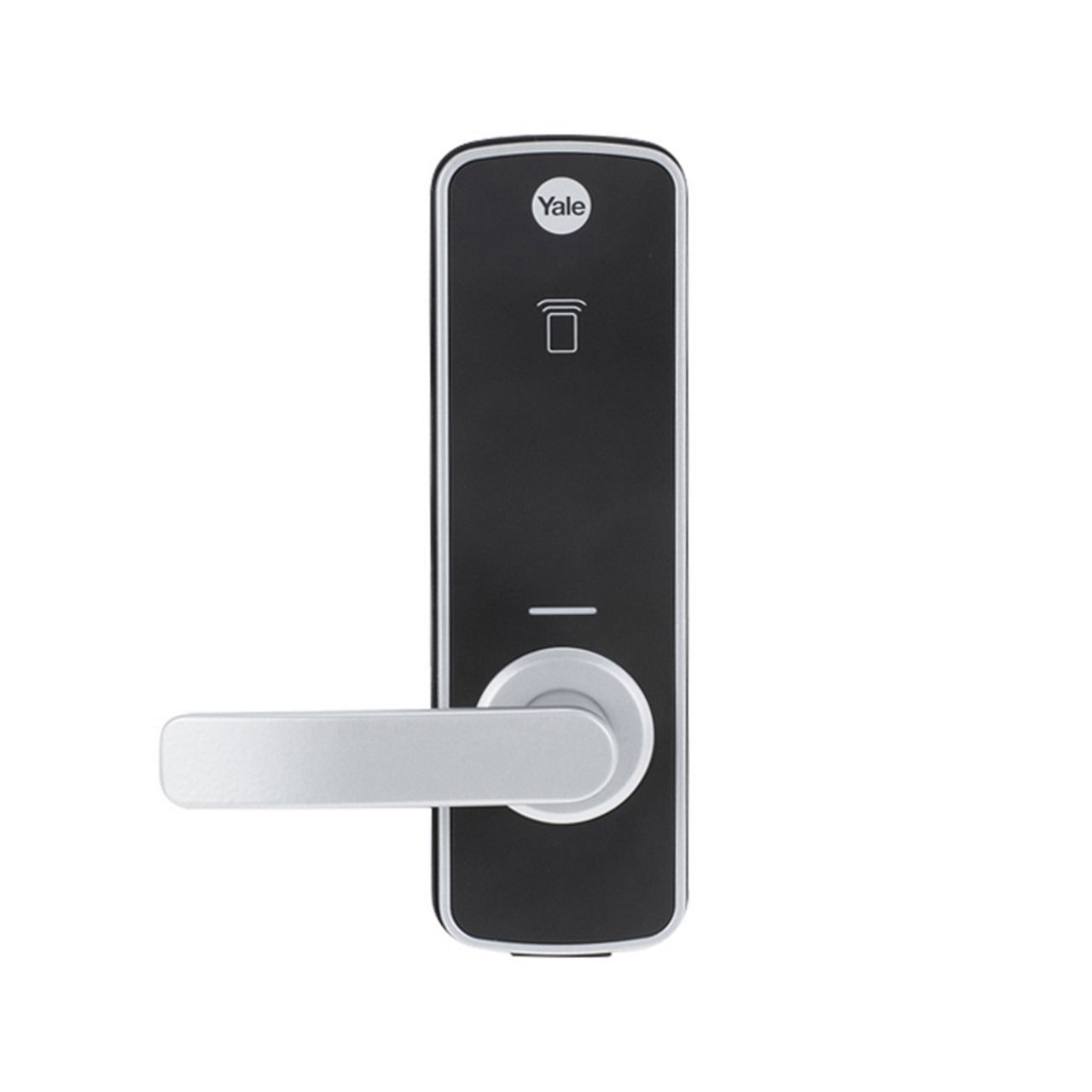
Yale Unity Entrance Lock Fire Rated (YUR/DEL/FR/SIL)
1 of 6
Features
Fire Rated
Tested for 2 hours on fire door assemblies in accordance with Australian Standard AS1905.1-2015 Fire Resistant Doorsets.
Lock Alert
Lock status indicated via LED, showing the lock mode: Locked (yellow) and Unlocked (green).
Total Control via App
The Yale Home APP allows you to lock and unlock your door, grant access to others and keep track of visitor access.
Auto Unlock
Auto unlock your door as you walk up without the need to take out your phone. The door position sensor tells you if your door is open or closed.
Tailor User Access
Use either the Yale Home APP, Yale Contactless Key Tags or upgrade with the Yale Smart Keypad to access your lock.
Key Free
100% key free. No cylinder means no lost keys and no pick and bump break-ins.
Yale Connect Plus Hub 2
Unlock and lock your door from anywhere. Allows you to integrate the Yale Unity Entrance Lock with Google, Samsung and Amazon home automation systems.
Part number: YAR/SWAA/HUB/-I-DYale Smart Keypad
Lock & unlock your lock using your Yale Smart Keypad.
Part number: 05/301000/BL


Yale Home App
Yale smart locks can now be controlled through the use of the Yale Home App, giving you total control over your lock. You are able to lock and unlock your door, grant access to others and keep track of visitor access all via your mobile device.
Download on the App Store
Get it on Google Play

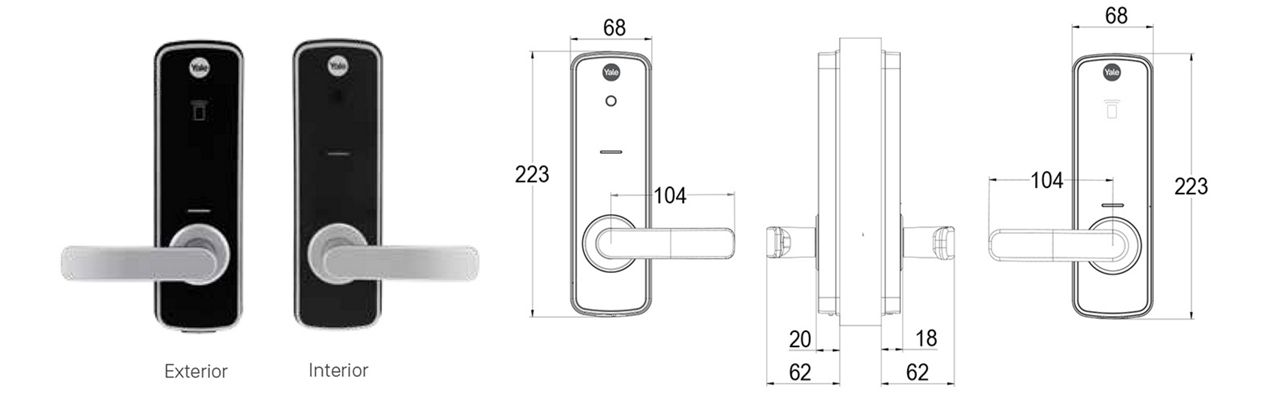
Similar products
Yale Unity Entrance Lock
Patented digital dead locking technology.Yale Unity Entrance Lock Fire Rated with accessible compliant lever
Certified in accordance with AS1428.1-2009 Design for access and mobility.


Learn how to pair your phone with your lock.
Have total control over your lock’s activities by using the Yale Home APP.
Yale Unity Entrance Lock Installation
How to Guide
Yale Unity Entrance Lock Retrofit Installation
How to Guide
Yale Connect Plus Hub 2
Quick Start & Setup Guide
This video will help you get started with your Yale Connect Plus Hub 2. Follow along as we guide you through setting up your hub, powering it on, connecting it to your home and Wi-Fi, and linking it with your existing Yale devices to unlock seamless smart home control.
Find Yale close to you
We are present in more than 120 markets with product ranges that are made specific for your market and home. Find your local contact and see how we can help make your everyday a bit easier.