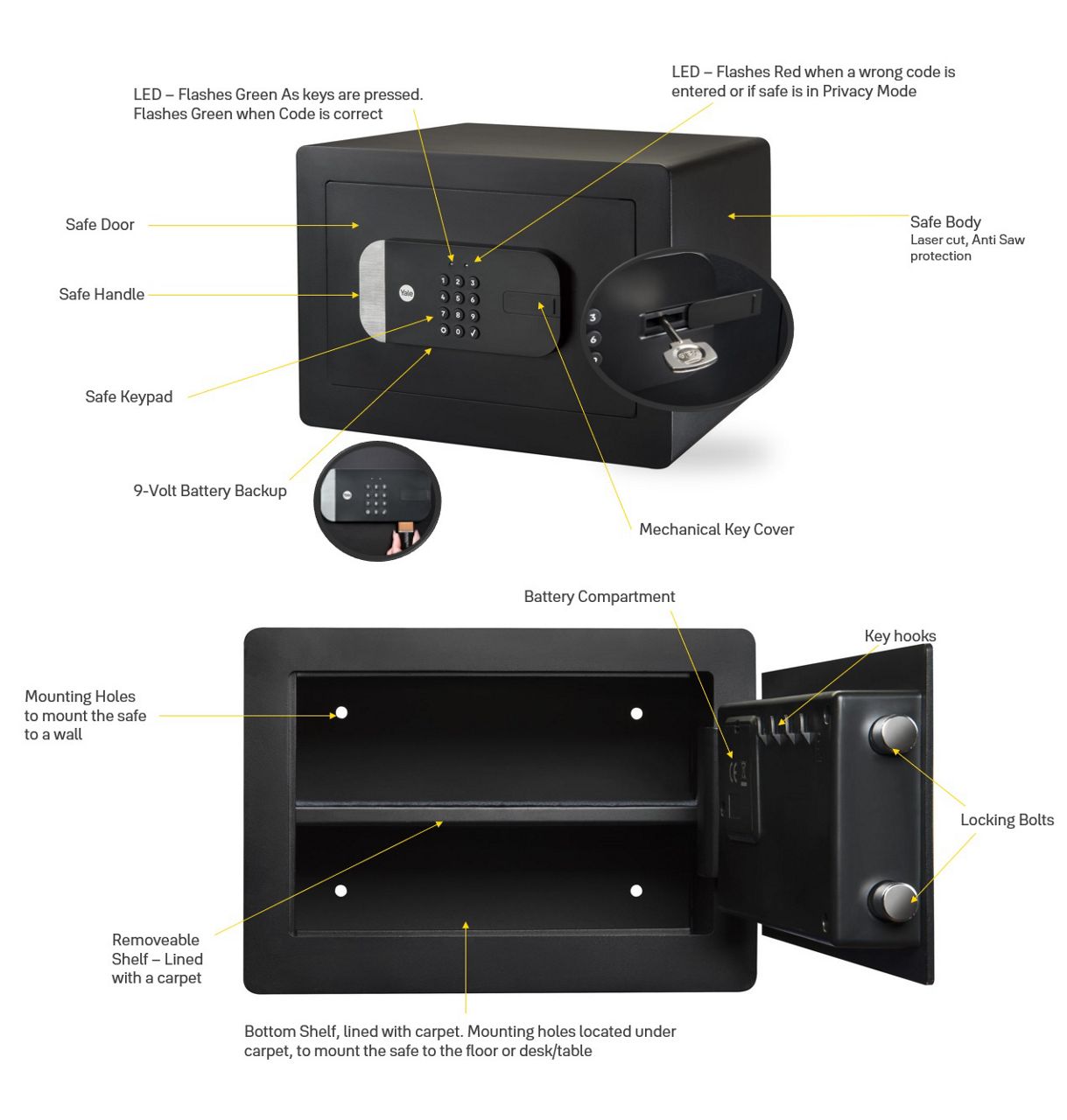
Here you can find the answers how to Getting Started with Yale Smart Safe
Getting Started FAQ
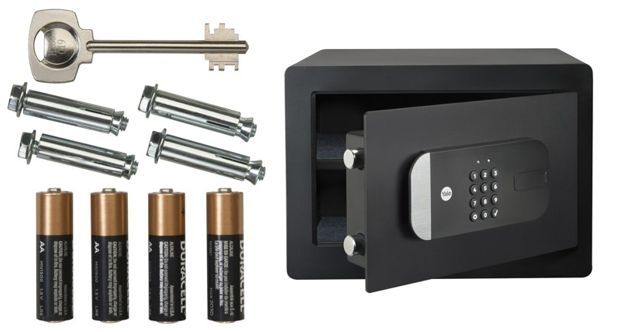
Batteries AA x 4
Mounting Hardware Bolts x 4
Key x 1
Manual x 1
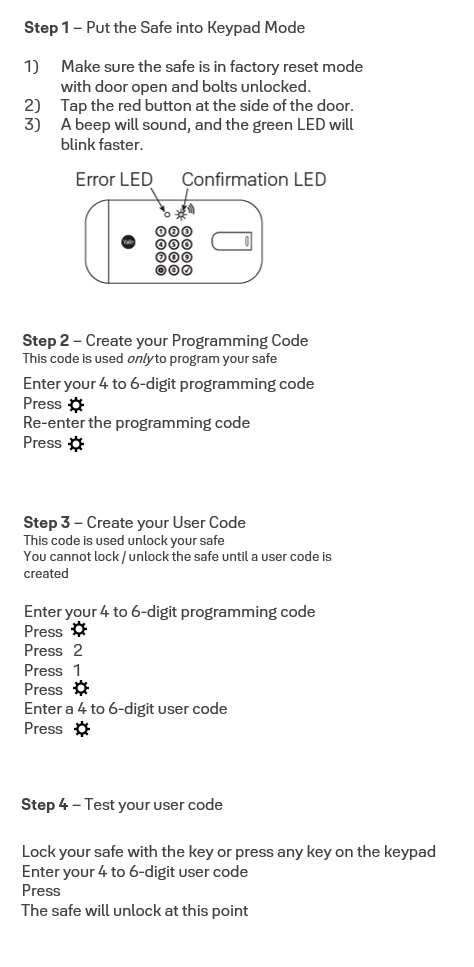
If a user decides not to set up the Yale Smart Safe with the Yale Home app, they have the options to set it up it up to be used as a keypad only safe.
You can either wall or floor-mount this safe, and four bolts are provided for your use.
The Yale Home App is needed to control your Yale products from your mobile device. The Yale App is available for iPhone and Android. Download the Yale App from the App Store or Google Play depending on your device.
Once you have downloaded the Yale App log in to or create a Yale Account.
Unlock the Smart Safe with the Key provided
Open the Smart Safe door (leave the door open until set up with the app is complete). While keeping the Safe door open, lock the bolts with the key and remove the key from the keyhole.
Open the battery compartment and insert the 4 AA Batteries
Download the Yale Home app from the app store
From the Yale Home app Tap “Set Up New device” from the app menu
Scan the Yale Home QR code or enter the serial number manually
This is located on the underside of the keypad, below the battery compartment
Follow the in-app instructions to complete the set up
Once the set up is complete, the user must set up entry codes from the Guest menu
The Safe supports 4 – 6-digit pin codes
• Unlock your smart safe
• Share access codes with others
• View access history
• Receive real-time notifications
• Enable voice assistant integrations
• Customize settings and see battery status
• Setup Works with other accessories and other products from Yale Home Range to open even more possibilities
Click Here to view the Yale Smart Safe setup video