The Yale Home App : Smart Access, Simplified

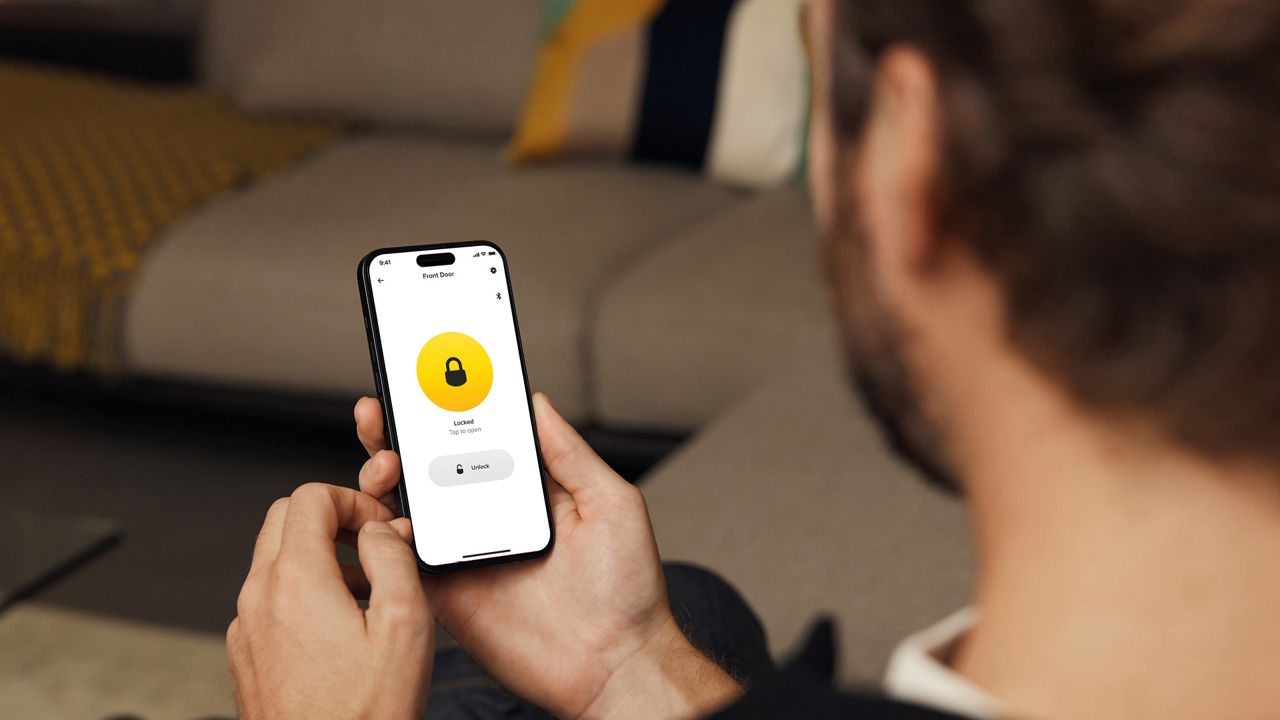
This guide answers the most common questions about the app, from setup and compatibility to advanced features like Auto-Unlock and guest access management.
In many security systems, increasing convenience can sometimes create a trade-off. For example, when features like remote access or automatic unlocking make everyday use simpler but also introduce more digital touchpoints that could, in theory, be targeted. However, Yale’s smart security ecosystem is engineered to maintain a strong balance: every layer of convenience is supported by robust encryption, secure authentication, and industry-grade privacy protections, ensuring that ease of use never compromises safety. The Yale Home App is at the heart of that experience. Designed to give you complete control over your home’s access, the app transforms your smartphone into a digital key. Whether you’re locking your door from bed, checking who entered while you were away, or granting temporary access to a guest, the Yale Home App ensures your home remains both safe and smart.
1. What is the Yale Home App?
The Yale Home App is a secure, intuitive mobile application that lets you control your Yale smart locks directly from your phone. With just a tap, you can lock or unlock your door, view the activity log and manage user access anytime, anywhere.
Beyond convenience, the app enhances your home’s security with encrypted communication and layered access control. It also allows seamless integration with other Yale smart products, ensuring you have complete peace of mind, whether you’re at home, at work, or on holiday.
2. Which Yale products are compatible with the app?
The Yale Home App works with smart locks that include or support a Yale BLE Module , such as the Yale Linus Smart Lock and select Yale Smart door locks. These models feature built-in smart capabilities that pair effortlessly with the app to deliver keyless convenience and remote control.
If your Yale lock supports the Yale Home app system. You can also use the app across multiple locks or homes, managing all your entries from one simple dashboard.
3. Where can I download the Yale Home App?
Getting started is easy, the app is free to download from both the Apple App Store (for iOS users) and the Google Play Store (for Android users). Once installed, you’ll be prompted to create a Yale account using your email or phone number. From there, the setup wizard will guide you through adding your smart lock and configuring your preferences.
4. How do I set up a new device in the app?
After installing your Yale smart lock on the door, open the Yale Home App and select “Set up a device.” You’ll be guided through a few simple steps: scanning the QR code on your lock or packaging (or entering its serial number manually), connecting via Bluetooth, and finalizing calibration.
The app provides real-time instructions and will confirm once your lock is paired and ready to use. Setup typically takes just a few minutes, ensuring even first-time users can get started with ease.
5. Why do I need to create a master entry code during setup?
The master entry code is an essential part of your lock’s security. It acts as a primary identifier, ensuring that only authorized users can configure or reset the lock. During setup, the master code registers your lock and smart module securely to your account, enabling full app functionality and encryption protection.
Think of it as the digital “master key”, one that safeguards your access ecosystem while maintaining convenience.
6. What is a Yale Connect Wi-Fi Bridge, and do I need one?
The Yale Connect Wi-Fi Bridge is an optional but highly recommended accessory. It connects your smart lock to your home’s Wi-Fi network, allowing you to control and monitor it remotely, even when you’re not within Bluetooth range.
With the bridge, you can lock or unlock your door from anywhere in the world, check lock status in real time, receive instant notifications when someone enters or leaves and even integrate your lock with smart home systems like Amazon Alexa or Google Assistant.
Without the bridge, the app still works, but control is limited to when your phone is near the lock via Bluetooth.
7. How does Auto-Unlock work ?
Auto-Unlock is one of Yale Home App’s most convenient features. Using your phone’s GPS and Bluetooth, it automatically unlocks your door as you approach.
When you leave your “Home Zone,” the app arms itself. As you return, it recognizes your proximity, communicates with the lock via Bluetooth, and unlocks the door, hands-free. You can step right in without fumbling for keys or even opening the app.
Auto-Unlock is especially useful when carrying groceries, luggage, or simply when you want effortless access at your doorstep.
8. How do I share access with guests?
The Yale Home App makes it simple to share your lock digitally. You can invite guests by entering their phone number or selecting them from your contacts. Each guest receives an invitation to download the app and connect to your lock.
You can customize access levels and schedules, for instance, granting permanent access to family members or one-time access to service providers or visitors. The system logs every unlock, so you always know who’s entered and when.
This digital sharing replaces the need for spare physical keys, offering convenience without compromising control.
9. What’s the difference between an “Owner” and a “Guest”?
In the Yale Home App ecosystem, user roles define how much control someone has:
- Owner: Has full administrative rights, can add or remove users, view detailed activity logs, change settings, and integrate the lock with other smart devices.
- Guest: Has limited access, can lock or unlock the door within the access period granted by the Owner but cannot modify any settings.
This distinction ensures the right people have the right level of access, maintaining both flexibility and security in your smart home.
10. Can I access the app from multiple devices?
Yes. The Yale Home App allows you to log in from multiple smartphones or tablets using your registered Yale account credentials. This is especially convenient for families or co-owners managing the same property.
All activity and settings are synchronized across devices, so everyone stays informed and updated, no matter which device they use.
11. Why is my app not connecting to my lock?
If you’re experiencing connection issues, first make sure your phone’s Bluetooth is turned on and that you’re within range of the lock. If you’re using a Wi-Fi Bridge, confirm it’s connected to your home network and powered on.
It can also help to:
- Restart your phone.
- Check for app or firmware updates.
- Ensure your Yale account is logged in properly.
These quick checks resolve most connection issues, keeping your lock running smoothly.
12. What should I do if my phone battery dies?
If your phone battery dies, you still have options. Many Yale smart locks include a mechanical key override, simply use your physical key to unlock the door.
Alternatively, you can log into your Yale account on another smartphone and use the Yale Home App there. This flexibility ensures you’re never locked out, even when technology fails.
13. Why am I not receiving notifications or activity updates?
If you’re not receiving alerts, start by checking your phone’s notification settings, the Yale Home App must have permission to send push notifications.
If remote updates are missing, ensure your Yale Connect Wi-Fi Bridge is online and properly linked to the lock. The bridge acts as the communication channel between your lock and the app when you’re away from home. Keeping your firmware and app up to date also ensures reliable performance and notification delivery.
Control, Convenience, and Confidence
The Yale Home App brings intelligent access control to your fingertips, combining the reliability of Yale’s heritage with the innovation of modern smart technology. From keyless entry and remote management to sharing digital access securely, the app simplifies how you interact with your door, without sacrificing safety.
Whether you’re managing one lock or several across multiple properties, the Yale Home App ensures you stay connected and in control. It’s more than just an app, it’s the smart, secure link between your home and your peace of mind.